Easily back up a Docker database
Use LazyBackup’s database dump source to pull Postgres, MySQL, or MariaDB from a container into a scheduled .sql.gz—without stopping the DB.
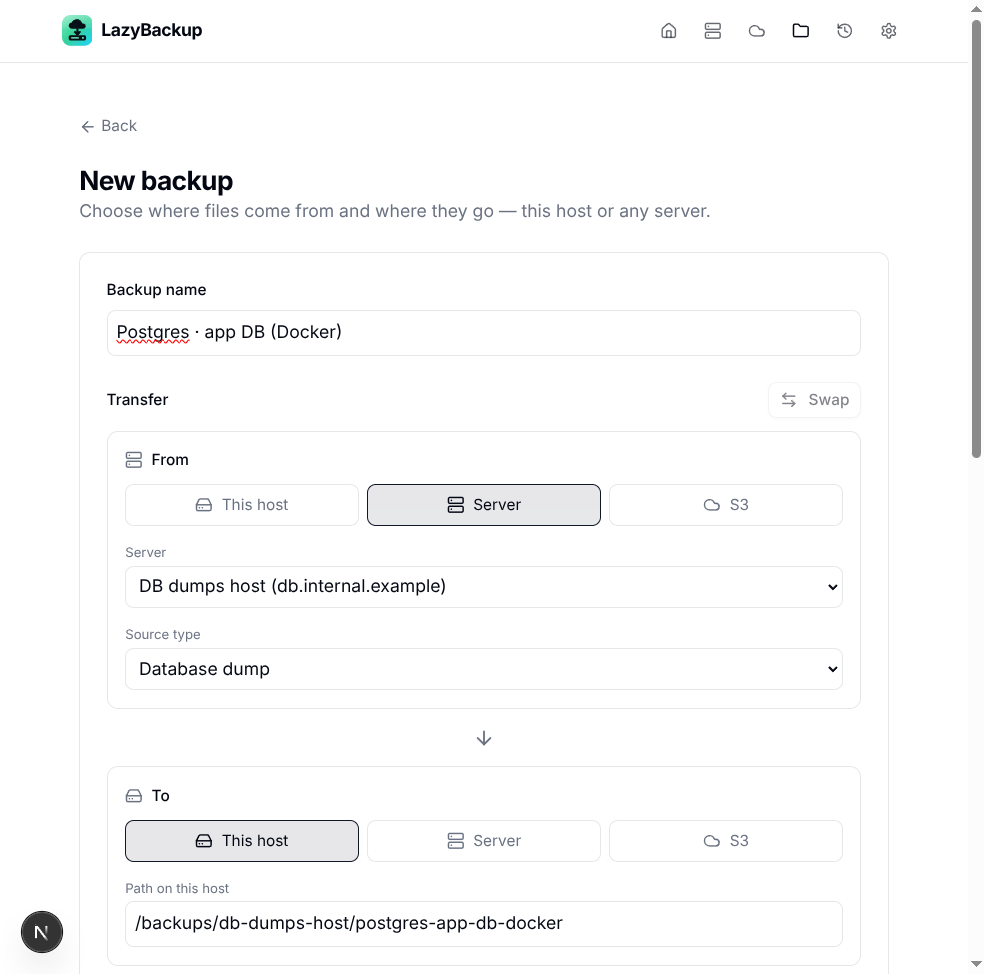
Tar’ing a Docker volume is fine for files. For a live database, you want a logical dump: pg_dump or mysqldump while the engine is running. LazyBackup treats that as a first-class source type—Database dump—so you pick the server, the engine, and (optionally) the container, then land a .sql.gz on this host, another server, or S3.
What you’ll set up
- A server in LazyBackup with SSH key auth (needed for transfers)
- A backup job: From = that server, Source type = Database dump
- Client mode: Docker exec (into the DB container) or Native tools on the host
- A destination path or S3 prefix, plus a cron schedule
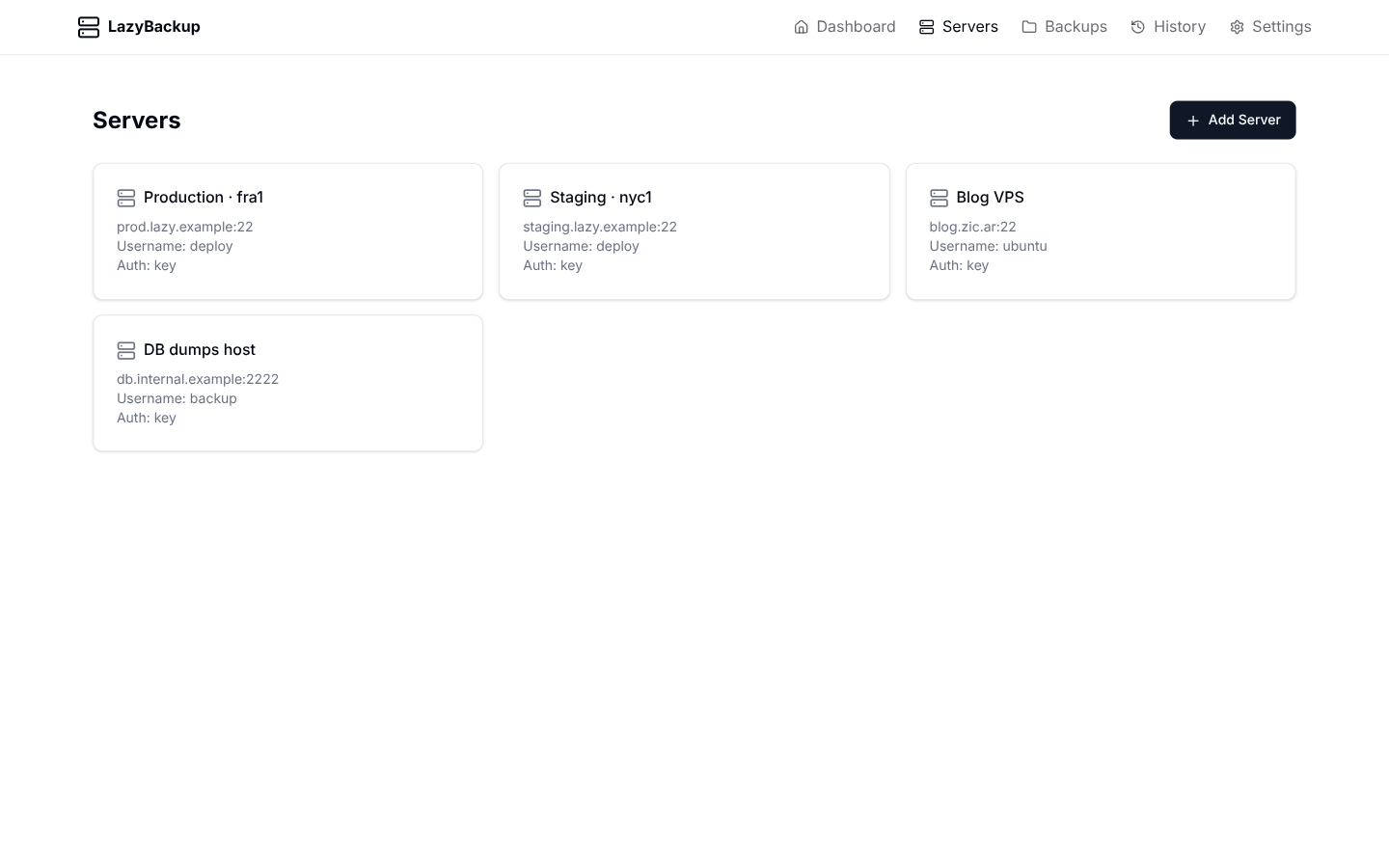
Step 1 — Add the server
Under Servers, add the host where Docker (or the native client) runs. Test the connection. Transfers need SSH key auth; password-only is enough to poke around, not to pull dumps.
Step 2 — New backup → Database dump
Create a backup. Set From to Server, pick the host, then change Source type to Database dump. Destination can stay This host (e.g. /backups/…), another server, or S3.
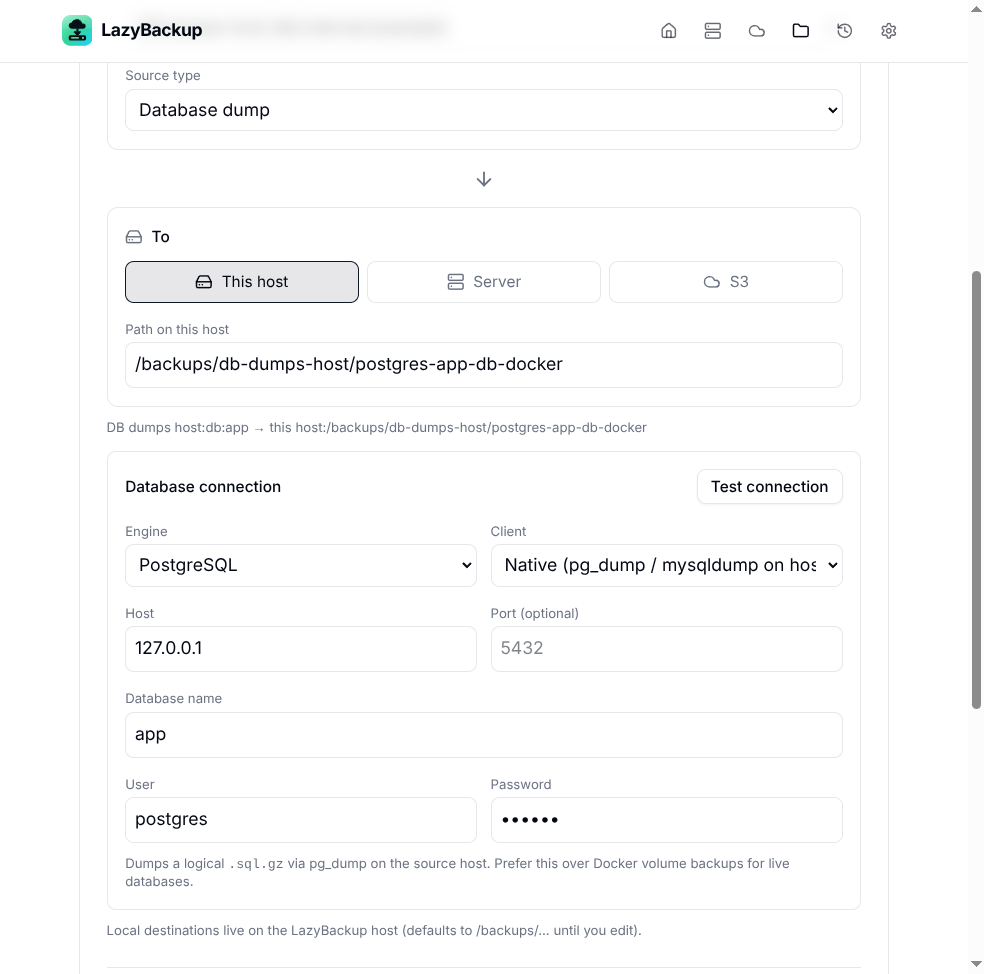
- Engine — PostgreSQL, MySQL, or MariaDB
- Client — Native (pg_dump / mysqldump on the host) or Docker exec (into the container)
- Credentials — database name, user, password (and host/port for native)
Docker exec mode (the easy path)
If Postgres/MySQL runs in Docker on that server, choose Client → Docker exec. LazyBackup lists running containers and can fill engine, user, password, and database name from common env vars (POSTGRES_*, MYSQL_*, MARIADB_*). It runs pg_dump or mysqldump inside the container, writes a temp .sql.gz, then transfers that file to your destination—no dump SQL streamed through SSH stdout.
From:  Server → Database dump → Docker exec → your DB container
To:    This host / Server / S3 prefix
Out:   something like app_2026-08-11_….sql.gz
Step 3 — Schedule and retention
Set a cron expression (runs in the app timezone from Settings). For dump folders, enable file retention so old .sql.gz files age out while you keep a minimum count. Versioning is useful for path trees; for single dump files, retention is usually enough.
Restore later
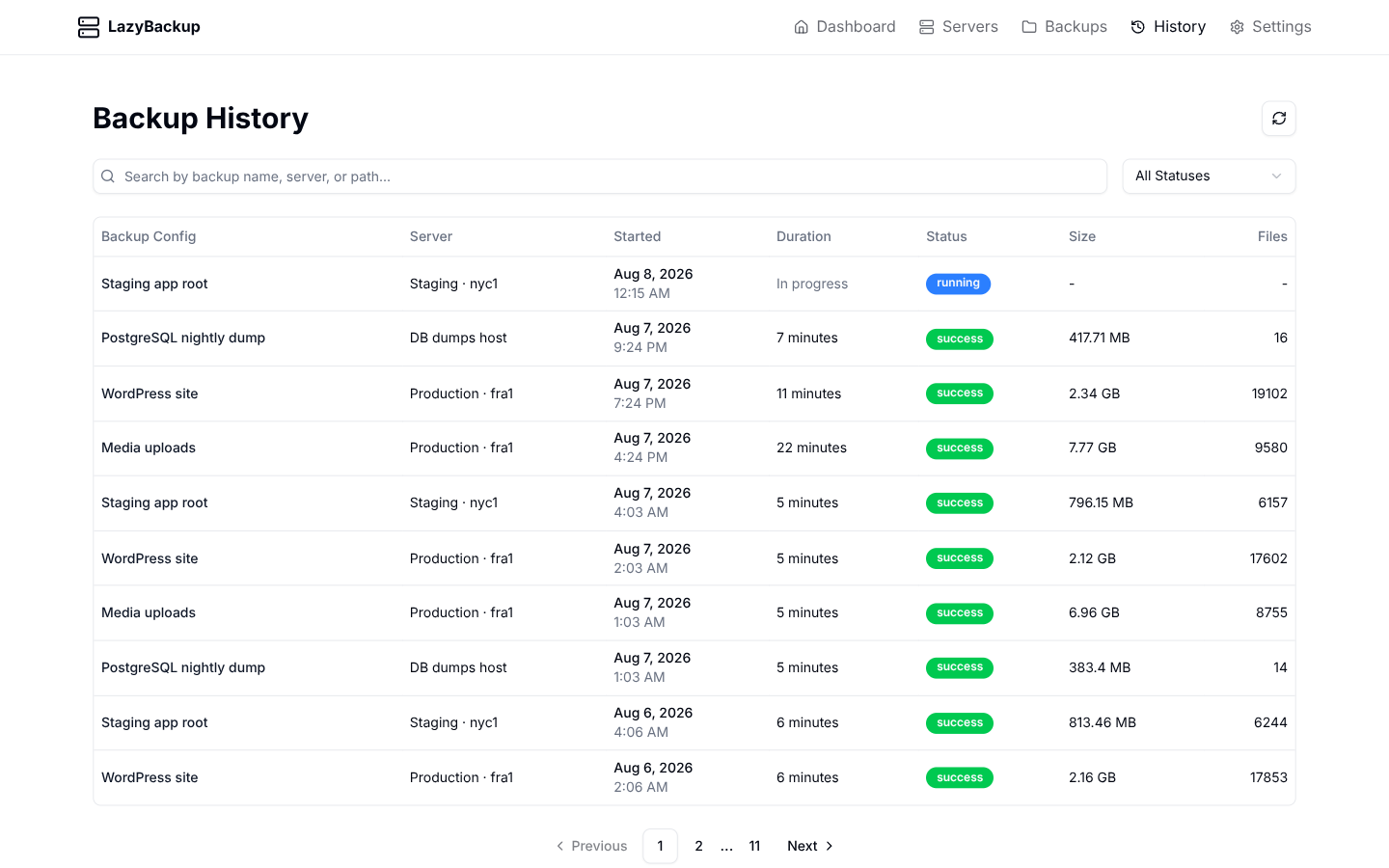
From History, restore loads the dump into the target engine (local artifact, or pull from S3, Bro, or an SSH destination with a key first). Same idea as the dump: native client or docker exec on the destination side of the restore flow. You can restore onto a different host from the History server picker.
Quick checklist
- SSH key on the source server
- Source type = Database dump (not Docker volume)
- Docker exec if the DB lives in a container
- Test connection once
- Cron + retention so disks don’t fill forever