Share backup space with Bro Space
Invite a friend with LazyBro (or another LazyBackup): mailbox sync, age-encrypted opaque blobs, optional Tailscale on your host—no ports on their side.
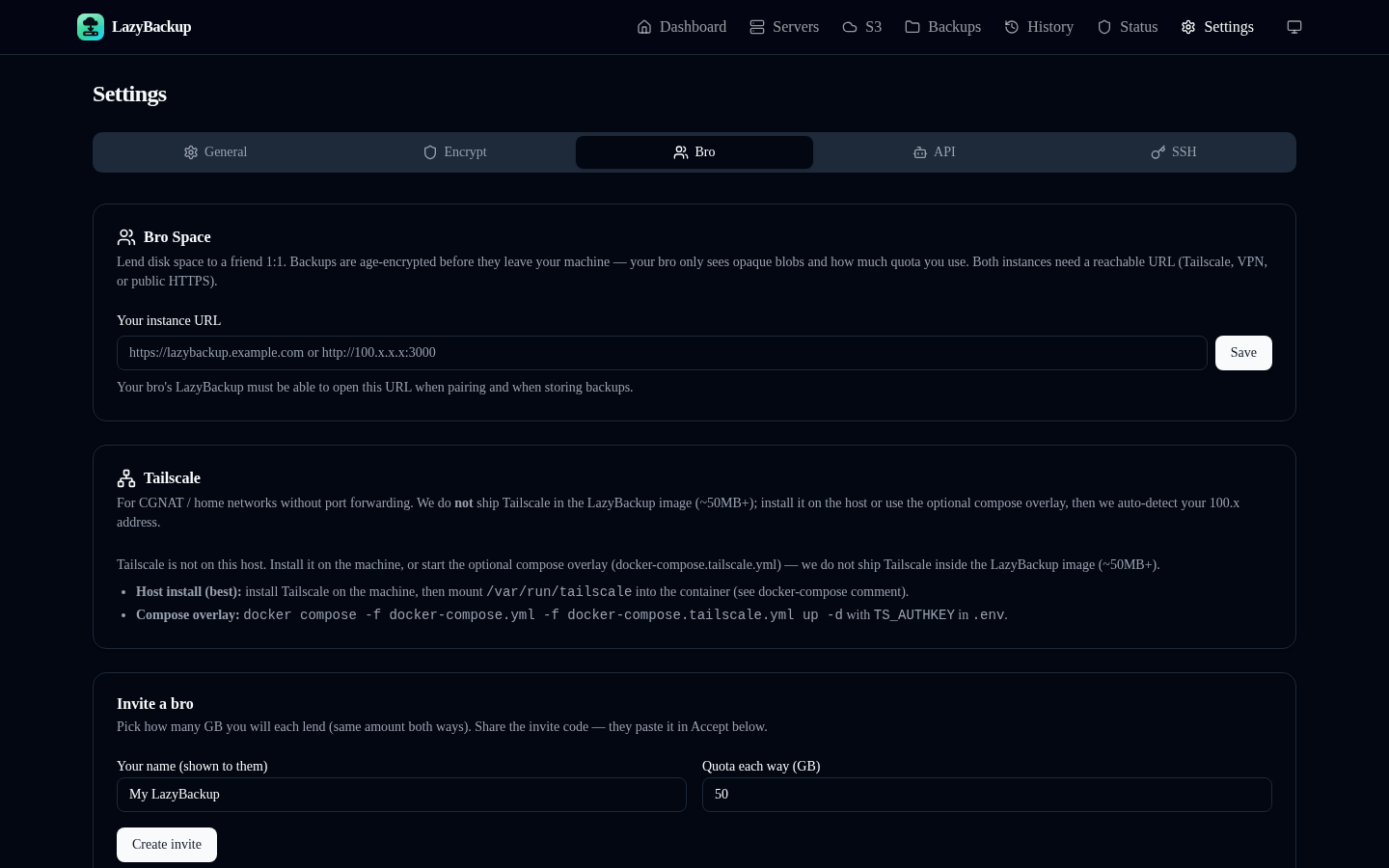
Bro Space is 1:1 reciprocal peer storage: you lend encrypted backup space to a friend, and they can lend some back. New pairs use a mailbox—your LazyBackup stages ciphertext locally, their side pulls when online. Backups still succeed if they’re briefly offline; sync catches up later.
Two ways to pair
- LazyBro — lightweight outbound agent on their machine. They paste your invite, pick a folder, leave it running. Only your LazyBackup needs a reachable URL.
- Another LazyBackup — same invite; they Accept under Settings → Bro Space. Both instances need a reachable URL and both run the mailbox sync worker.
Step 1 — Age key + your address
- Settings → Encryption → create an age key (export and acknowledge a copy).
- Settings → Bro Space → set Your LazyBackup address (https://… or a Tailscale http://100.x:PORT) and Save.
- Create the invite before you send anything—the invite embeds that address.
Step 2 — Invite (quota)
Under Invite a bro, pick how many GB you’ll each share, create the invite, and copy the code. Send it out-of-band (chat, Signal, whatever you trust).
You (LazyBackup):  Settings → Bro Space → Save address → Create invite
Friend (LazyBro):   install → paste invite → pick share folder → stay running
Friend (full LB):   Settings → Bro Space → Accept invite
Step 3 — Friend installs LazyBro
LazyBro is a small Bun agent. Download a binary, or build from the bro/ folder. It opens a local page (http://127.0.0.1:3789). They choose a folder for your encrypted backups, paste the invite, optionally enable start-at-login, and leave it running.
# Linux x64
curl -L -o lazybro https://github.com/Ceneka/lazybackup/releases/download/lazybro/lazybro-linux-x64
chmod +x lazybro && ./lazybro

# Also: lazybro-linux-arm64, lazybro-darwin-arm64, lazybro-darwin-x64
# Windows: https://github.com/Ceneka/lazybackup/releases/download/lazybro/lazybro-windows-x64.exe- No public URL, ports, or Tailscale required on their side
- They phone home to your LazyBackup on an interval
- If you’re briefly down, LazyBro retries quietly
Optional: Tailscale on your host
Friends can’t reach a CGNAT home lab without help. Tailscale belongs on the machine running LazyBackup—not inside LazyBro. The image does not bundle Tailscale (~50MB+).
- Install Tailscale on the host; mount /var/run/tailscale into Docker if you use compose (see docker-compose.yml comments).
- Or use the compose overlay with TS_AUTHKEY (docker-compose.tailscale.yml).
- In Bro Space, when Tailscale is detected, Use as LazyBackup address fills http://100.x:PORT.
Step 4 — Backup To → Bro
New Backup → set To to a paired bro peer (destinationKind=peer). Encryption is forced. On run, LazyBackup age-encrypts, stages under peers-staging, and marks the job successful. Their LazyBro (or peer LB) pulls via /api/peers/agent/*, stores the opaque blob, and acks. Pending sync is soft status—not a failure webhook.
From:  path / docker volume / database (not instance meta-backup)
To:    Bro peer (Settings → Bro Space)
Land: age ciphertext → local mailbox staging → peer pull → ackRestore and recalls
If the object is still in staging, restore can use it immediately. After the bro has pulled it, restore may wait for a recall: LazyBackup asks the peer to upload the blob back. Waiting for Bro is a soft 202—not a critical failure. Keep LazyBro running so recalls can finish. Mailbox destinations honor the same version-count and age-based file retention as S3: LazyBackup advertises deletes; LazyBro unlinks and acks. Open recalls are not deleted until they finish.
Quick checklist
- Active age key exported/acknowledged
- LazyBackup address saved (public HTTPS or Tailscale 100.x)
- Invite created with a quota you’re happy with
- Friend on LazyBro (outbound-only) or Accept on another LB
- Backup To → peer; offline/sync pending is informational